
Tightknit Release Notes (Aug 26, 2026)


🕶️ Privacy Mode for Demoing & Sharing the Studio
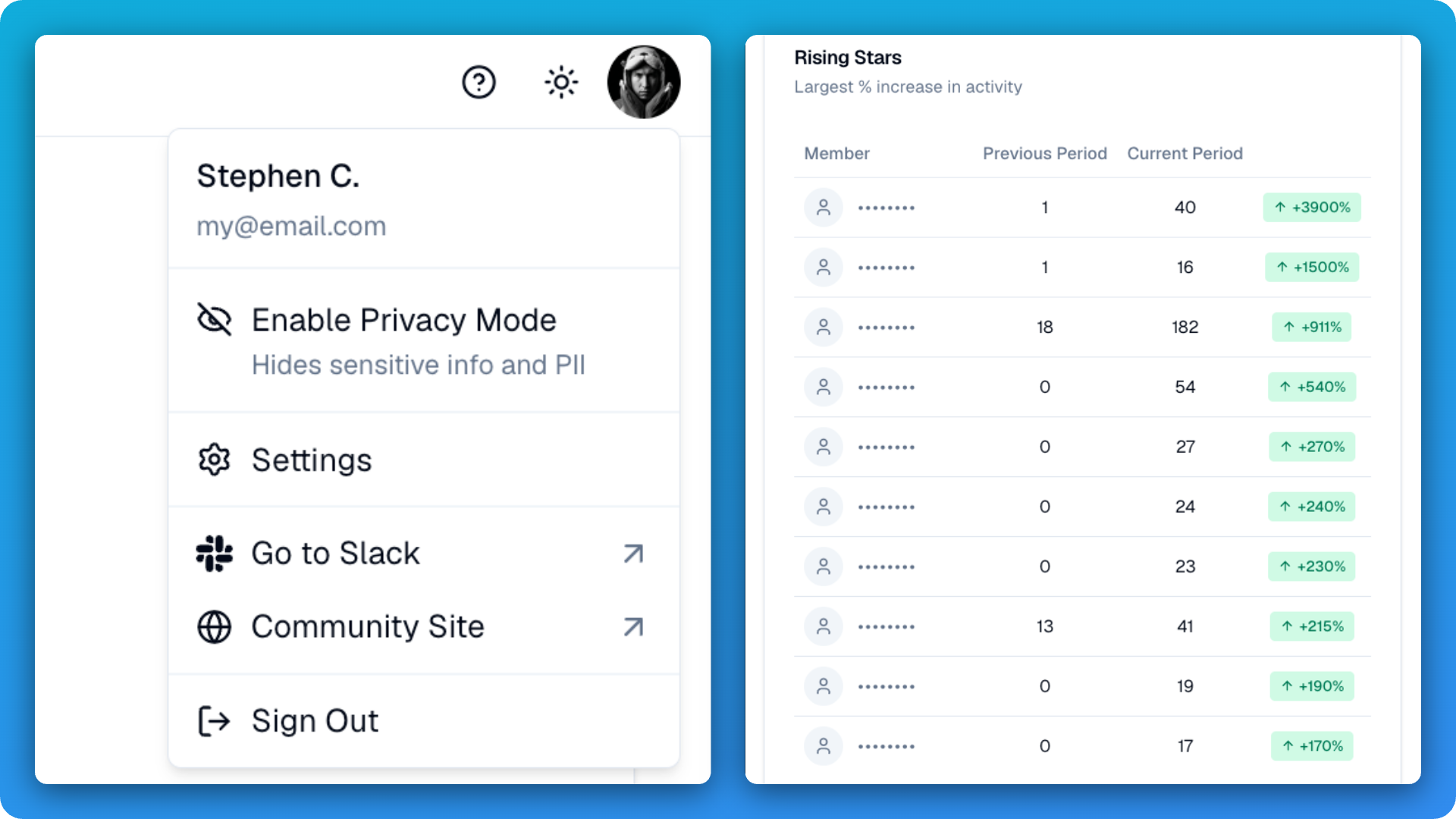
Have you ever needed to share your Studio analytics or demo a particular Studio page, but worried about exposing your members' personal details? The Studio now has a Privacy Mode that masks member names, emails, avatars and handles, and other sensitive community information, so you can safely screen share a live dashboard during a demo, a team show-and-tell or a recorded walkthrough without scrubbing anything by hand. You can toggle this mode from the profile menu option "Enable Privacy Mode". Privacy Mode is a presentation aid rather than an access control, so what your team can normally see is unchanged.
🛠️ Improvements and Fixes Studio
Preview fonts before you pick one - Font options in the branding pickers now render in their own typeface, so you can see what each one actually looks like beforehand.
Overview and Participants tabs on event details - The event detail page now shows the full host and speaker roster alongside a table of registrants.
Pending Slack invitees are now a filterable member status - People who are invited to the Slack workspace but have not joined yet now appear in the members list.
Message Sender is now Message Blaster - Same tool, new kickass name.
Community Site
Custom emojis render in buttons - Custom emojis now appear properly in buttons inside messages synced from Slack.
Pin icon on pinned posts - Pinned posts now carry a pin icon on the card, so members can tell at a glance why a post is sitting at the top of the feed.
Open Studio straight from your profile menu - Community admins now get a direct Studio link in the profile menu on the community site.
Bugfix for size of site header icon - The community square icon maintains its size for small form factors.
Slack
Activating a channel no longer posts to it - The sync disclosure message is now posted only once a feed is publicly readable on a live site, rather than on every channel activation.
Cleaner feed disclosure messages - Link and media previews are suppressed on feed disclosures, so they stay short.
App Home deep links work again - Buttons that jump to a specific App Home tab now land where they should, which restores the onboarding link.
Profile photo milestones fire correctly - A custom profile photo is no longer mistaken for a default one when Slack omits the flag, so photo milestones award as expected.
MCP
Slack channel discovery, activation and full feed settings - Channels you have invited the Tightknit bot to now are returned in channel lists. Introduced a new tool for activating channels. Surfaced more Feed settings.
Tag group management - Create, edit, move and delete tag groups and tags directly from your AI assistant.
Read and edit Slack community settings - Community Home and Slack member home settings can now be inspected and changed over MCP.
Create your first community site - A community site can now be created and edited over MCP, so a brand new workspace can be stood up conversationally.