

Tightknit Release Notes (July 29, 2026)

📷 Profile Picture Milestone
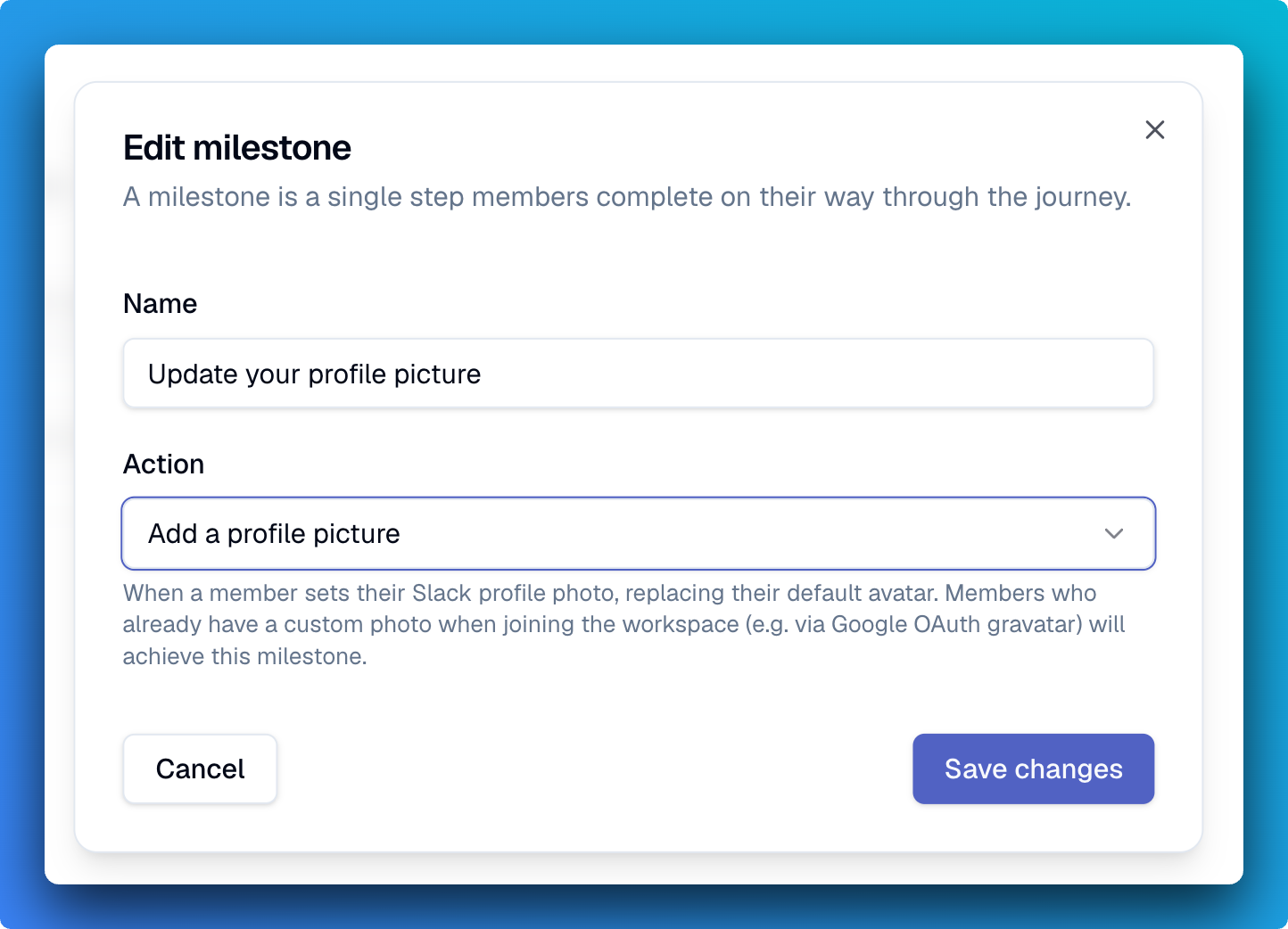
Journeys can now include a milestone for adding a Slack profile photo, so onboarding can nudge new members to put a face to their name. Add it to any journey the way you would any other milestone, and it completes as soon as a member sets a custom photo.
🔑 Manage Your Sign-In Methods (beta)
Members can now access the Account page on the community site from the profile menu and manage their connected accounts and sign-in methods. For example, a member who joined through Slack could connect their Google account and use either one to log in next time. We're also giving admins a huge boost into the visibility of authentication activity in their community. On the member detail page, we've added a list of authentication events pertaining to that user; and on the Audit page, we've added the whole list of authentication activity. This data is only accessible to admins. We'll be rolling this feature out to customers in the following weeks.
🛠️ Improvements and Fixes Community Site
Banner images for groups - Groups can now have their own banner image, so a featured group page feels like a designed landing spot. Set it when you create or edit the group in the Studio or Slack app settings.
Slack container blocks in dark mode - Fixed bug where messages with container blocks did not respect dark branding themes when synced to the community site.
Studio
Rows per page on every list view - Tables now have a rows-per-page dropdown offering 10, 25, 50, or 100, with pagination standardized across list views.
Search and channel sorting on the feeds list - Search feeds by name or label, and sort alphabetically by the connected Slack channel name.
Responsive table columns no longer locked - On a narrow screen and mobile, columns are no longer locked out from being selected and displayed.
Jump to the public page from any detail view - Event, collection, tag, group, member, and feed detail pages now link straight to their public community site page when a site domain is configured.
MCP
Image uploads across the admin tools - Event cover images, Award badges, site logos and favicons, feed banners, and content covers can all now take an uploaded image. Pro-tip: try using your agent to generate an image (if supported) for these features!
New tools for awards, journeys, and tags - Added give_award, list_awards, list_journeys, list_tags, and create_tag. Journeys can also grant an award on completion.
Tag events as you create them - The event tools now accept tags directly
Clearer errors and partial results - Adding members to a group now reports exactly which profiles were skipped rather than failing as a block, and malformed dates, unknown channel IDs, and bad text inputs return an actionable error instead of a server error.
Rate limiting on the MCP server - Tool calls are now rate limited per authenticated caller, so a single agent cannot saturate the tool surface for everyone else in your community.
Integrations
Salesforce sync history no longer shows stale jobs - Incremental syncs interrupted mid-dispatch are now cleaned up automatically.